


Top Picks
The holidays bring extra travel, guests, and long to-do lists, so having a reliable video check in camera helps you keep an eye on loved ones, pets and your home without adding stress. You’ll learn which cameras excel at easy check-ins, clear video, two-way calling and privacy so you can pick a model that fits your household needs and budget.
This guide focuses on practical features that matter during the busy season — simple setup, dependable connections, clear audio and display, night vision and options for seniors or caregivers.
How We Picked These Cameras
You want clarity, reliability and features that match your holiday needs. We prioritized: ease of setup and daily use so you can get a camera working quickly for relatives; two-way audio and one-touch calling for fast check-ins; display size or mobile access so you see what matters; night vision and motion tracking to monitor activity after dark; privacy and connectivity options (closed systems or secure app-based links) for sensitive situations like elderly care; battery or portability when you need a monitor away from an outlet; and value — balancing price against how many features you actually use during the holidays.
We also weighed customer feedback on app stability, long-term connectivity and manufacturer support because a camera that quits during a trip is worse than no camera at all.
Table of Contents
One-Button Family Check-Ins
- The KEENLUK Home Security Camera offers two-way video calling with a 4.3" screen, enabling convenient communication with family members.
- It features a one-button call function, making it easy for elderly and children to use.
- The device-to-device calling function allows you to check on family members even when you're in different parts of the home.
- With a 1080P high-definition resolution, it provides clear and detailed real-time video images.
- Built-in motion-activated sensors combined with a wide-angle lens and night vision ensure comprehensive monitoring.
- It's designed for busy parents and those who need to care for elderly or children, providing peace of mind.
- Customers find it easy to set up and use, with clear picture quality and good value for money.
- The camera can move to different angles with phone control.
- It can be used to monitor pets.

If you want a simple video check in camera that feels like a friendly presence rather than a complicated gadget, this KEENLUK K41 does a lot with very little fuss. You get a clear 4.3-inch screen for face-to-face calls, two-way audio that’s loud enough to reach a living room, and a one-button dial that makes check-ins easy for older relatives or kids.
It also handles motion alerts and 350° coverage for letting you peek in on pets, packages, or holiday guests. For day-to-day peace of mind and quick drop-in moments during the busy season, it’s a practical pick you can set up and forget.
What People Say
Customers tend to praise how easy it is to set up and use, especially the one-button calling for seniors and the clear picture on the 4.3‑inch screen. Many reviewers mention the loud speaker and reliable motion alerts, and people often note that it’s handy for pet monitoring or quick family check-ins.
When to Use
|
Situation |
How It Helps |
|---|---|
|
Caring for elderly family |
You can let a senior press a single button to call you, so you get a quick face-to-face check without them having to fumble with a phone. |
|
Watching pets |
Call in during the day to soothe anxious pets, use two‑way audio to call their name, and let the motion tracking follow them around. |
|
Holiday travel |
When you’re away for the holidays, you can do occasional video check‑ins to make sure the house and deliveries are fine, and get motion alerts for unexpected activity. |
|
Remote help and tech support |
If someone needs help with a TV or phone, you can drop in to see exactly what they see and talk them through fixes without driving over. |
Ease of Use
|
Feature |
Ease Level |
|---|---|
|
Initial setup |
Easy |
|
One-button calling |
Very Easy |
|
App sharing with family |
Moderate |
|
Motion alert management |
Easy |
Versatility
This unit works as a video check in camera, pet monitor, and quick family video-call device — you can use it for everyday check-ins or special situations like travel or caring for someone at home.
Practicality
Its local SD storage option, stable 2.4 GHz Wi‑Fi support, and one-button calling make it a sensible, low-friction tool for keeping tabs on what matters without constant tinkering.
Solves These Problems
It solves the common problem of staying connected simply — you get easy check-ins, motion alerts for unexpected activity, and a loud speaker so short calls actually work when someone is across the room.
Key Benefits
- One-button calling designed for easy check-ins
- 4.3‑inch screen and 1080p two‑way video for clear face-to-face moments
- Motion detection and wide-angle coverage to catch movement
- Loud speaker and microphone for smooth two‑way conversations
- Local SD storage option—no subscription required
Rating: 4.3 (total: 123+)

Portable Room Monitoring
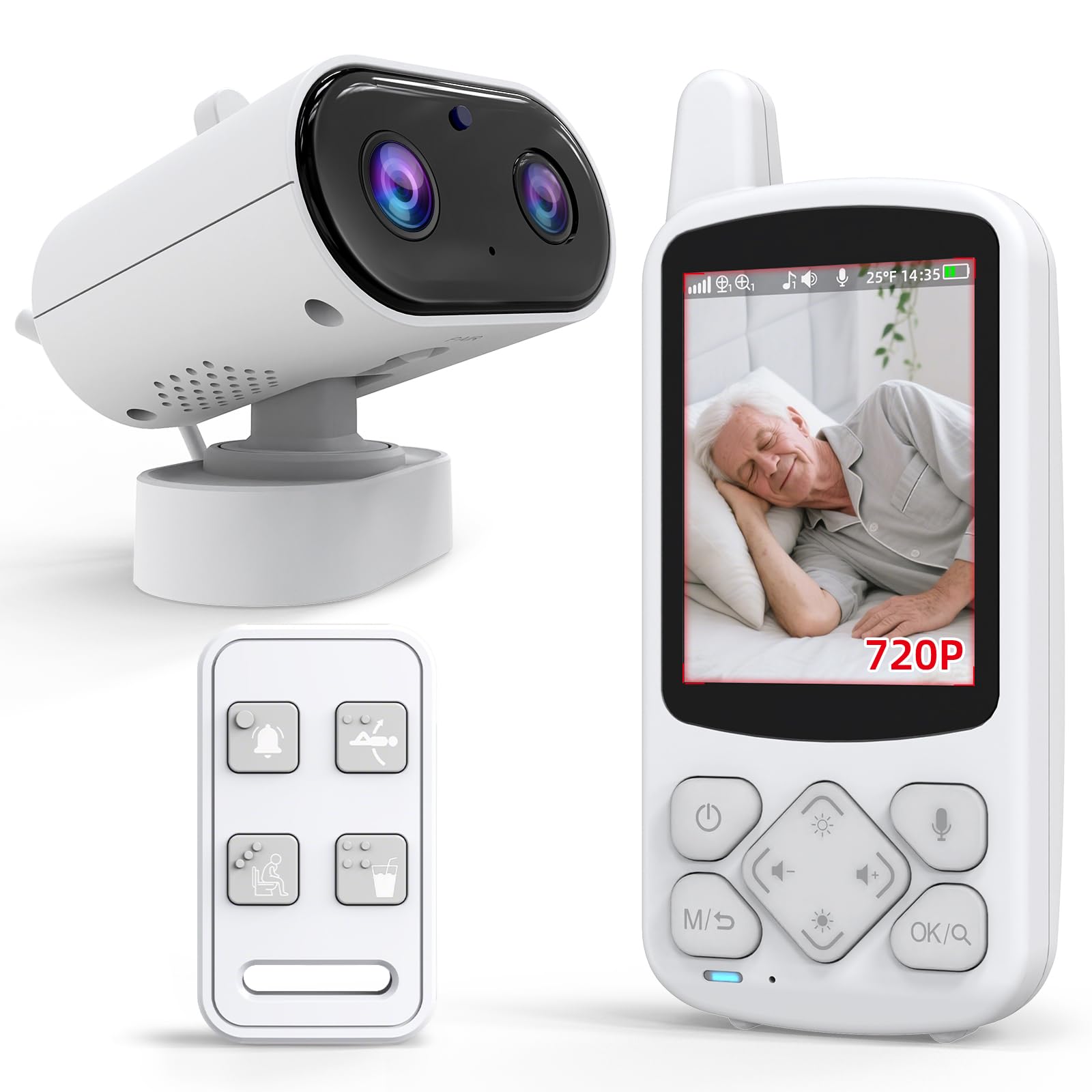
- The Smart Caregiver Video Monitor offers a secure, interference-free connection without WiFi for monitoring loved ones.
- It can be used as either an elderly care monitor or a baby monitor.
- The monitor is portable and rechargeable, offering freedom to move around the house.
- It features infrared night vision, providing clear monitoring in low-light conditions.
- Two-way audio enables communication with a push-to-talk button.
- It can help prevent falls and wandering when used with other Smart Caregiver products (sold separately).
- Customers report it's easy to set up and provides a sharp image in both light and dark rooms.
- Many customers appreciate the clear picture and sound quality for monitoring.
- It's considered a great value for the price, especially for those needing an elder care monitor.
- The device is useful for travel because it doesn't require a WiFi connection.

If you want a no-fuss video check in camera that feels more like a helpful companion than a gadget, this Smart Caregiver monitor is a solid pick. You get a portable display and a camera that pair securely without relying on Wi‑Fi, so you can move the monitor around the house and still check in. It handles daytime color and infrared night vision up to about 15 feet, includes a VOX mode to save battery, and has push-to-talk two-way audio so you can quickly talk to someone across the room. For everyday peace of mind — watching a sleeping parent, keeping an eye on a grandchild during holiday visits, or doing quick house checks while you run errands — it’s a practical, easy-to-carry option you’ll use a lot.
What People Say
Reviewers commonly highlight how simple it is to set up and how clear the picture is both day and night. People often praise the battery-saving VOX mode and portability, saying it’s handy to carry between rooms and brings real peace of mind when caring for elderly relatives or checking on sleeping little ones.
When to Use
|
Situation |
How It Helps |
|---|---|
|
Caring for an older relative |
You can do quick visual check‑ins from another room without relying on a phone, and the monitor’s mobility makes it easy to keep nearby during the night. |
|
Holiday house hosting |
Use it as a discreet way to glance at common areas or the front door while you’re busy prepping or entertaining guests. |
|
Watching a sleeping baby or grandchild |
Night vision and the VOX mode let you monitor sleep without constant video playback, so you’re alerted only when there’s sound. |
|
Quick remote troubleshooting |
If someone at home needs help with a device or setup, you can hop on the monitor to see what’s happening and speak to them directly. |
Ease of Use
|
Feature |
Ease Level |
|---|---|
|
Initial setup and pairing |
Easy |
|
Moving monitor between rooms |
Very Easy |
|
Using VOX/battery modes |
Easy |
|
Two-way audio (push-to-talk) |
Moderate |
Versatility
This doubles as a video check in camera, baby monitor, and caregiver tool — useful for everyday check-ins, overnight watching, or quick holiday house surveillance.
Practicality
No‑Wi‑Fi secure link, rechargeable components, VOX energy saving, and a compact tabletop mount make it low‑maintenance and reliable for regular use.
Solves These Problems
It addresses the common need to check on loved ones quickly and privately — offering night vision, portable monitoring, and a simple audio option so you can respond fast when something’s up.
Key Benefits
- Secure, interference-free connection without Wi‑Fi
- Portable monitor and camera for easy room-to-room use
- Infrared night vision for clear low-light checks
- VOX battery-saving mode that wakes on sound
- Two-way audio for quick voice check-ins
Rating: 4.4 (total: 92+)

Sharp Nighttime Surveillance
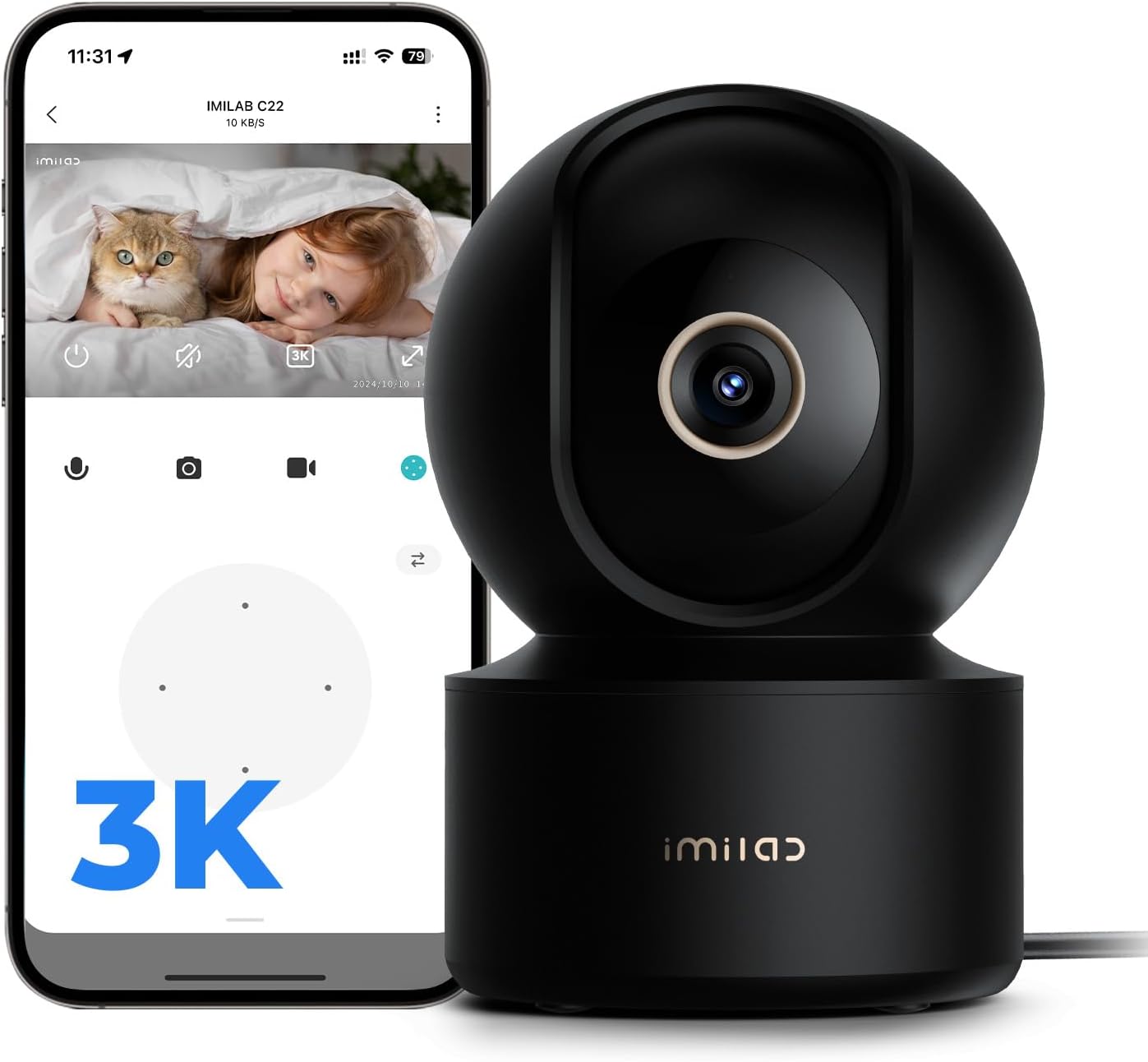
- 3K Resolution - Delivers sharp, detailed video footage
- 360° Pan/Tilt Coverage - Monitors entire rooms with remote viewing
- Auto Person Tracking - Follows human movement automatically
- Color Night Vision - Provides clear nighttime visibility
- Two-Way Audio - Enables real-time communication via app
- WiFi 6 Connectivity - Ensures stable wireless streaming
- Multiple Storage Options - Supports local SD or cloud backups
- Encrypted Data Transmission - Maintains video privacy and security
- Sleep Mode - Disables recording for privacy when needed
- Voice Assistant Compatibility - Works with Alexa/Google devices
- Flexible Positioning - Wall-mountable or surface placement
- Noise Detection - Alerts to unexpected sounds in monitored areas

If you want a reliable video check in camera that feels like a useful helper rather than just another gadget, this IMILAB C22 is a great pick. You get sharp 3K video, a true 360° sweep with pan/tilt, and full‑color night vision so you can actually see what’s happening in low light. The two‑way audio and AI person detection make quick check‑ins easy — you can call out to a pet, talk to a visitor, or confirm a delivered package.
For everyday use (keeping an eye on pets, watching kids while you cook) and special moments like holiday hosting when you want to glance at common areas or the front door, it’s flexible and straightforward to use. If you value clear video and simple remote check‑ins during busy holidays, this one’s worth considering.
What People Say
Customers frequently praise the camera’s sharp daytime image and surprisingly good color night vision, and many like the auto‑tracking and two‑way audio for checking on pets or kids. People also appreciate the storage flexibility (local SD or cloud), though some mention occasional hiccups with app setup or connectivity and note the cloud features require a subscription for full playback convenience.
When to Use
|
Situation |
How It Helps |
|---|---|
|
Checking on pets while out |
You can quickly open the app to see live 3K footage, speak through the camera, and track movement if your pet wanders around the room. |
|
Holiday hosting and busy rooms |
Use the wide sweep to keep an eye on entryways and living areas without moving the camera — handy when you’re juggling food and guests. |
|
Watching sleeping kids or grandparents |
Color night vision and motion/person detection give you clearer nightly views and alerts so you don’t have to stare at the feed all night. |
|
Package and doorway checks |
Position it to cover the door or hallway so you can verify deliveries or see who’s at the door during the holiday rush. |
Ease of Use
|
Feature |
Ease Level |
|---|---|
|
Initial setup and app pairing |
Moderate |
|
Mounting on a wall or tabletop placement |
Easy |
|
Controlling pan/tilt and auto-tracking |
Easy |
|
Choosing between local SD and cloud storage |
Easy |
|
Two‑way audio calls |
Easy |
Versatility
This camera doubles as a home security camera, pet cam, and baby/visitor monitor — great for daily check‑ins, evening monitoring, or scanning busy areas during holiday gatherings.
Practicality
Plug‑in power, app control, SD card support up to 256 GB, and multiple mounting options make it practical for routine use around the house without constant fuss.
Solves These Problems
It helps you solve the common problem of needing quick visual reassurance — whether that’s confirming everyone’s safe, checking on a noisy pet, or spotting a delivery — by offering clear live video, alerts, and two‑way communication.
Key Benefits
- Crisp 3K resolution for clearer details
- 360° pan and 115° tilt for wide coverage
- Full‑color night vision for low‑light checks
- Two‑way audio so you can speak to people or pets
- Flexible storage: microSD local recording or cloud
Rating: 4.4 (total: 255+)

Multi-Room Elder Oversight
- 2 included cameras with expandable system for up to 4 cameras total
- 5-inch display with remote pan-tilt-zoom for 360° room coverage
- Two-way audio allows communication with baby from other rooms
- Secure 2.4GHz wireless connection with no WiFi required
- Clear infrared night vision for low-light monitoring
- Real-time temperature display with alerts for environment adjustments
- 30-hour battery life for extended monitoring sessions
- 960-foot range for whole-home coverage
- Built-in lullabies for soothing without entering nursery
- Automatic screen wake and voice activation for instant alerts

If you want a straightforward video check in camera that’s more about practical peace of mind than gadget bells, the iFamily SM650 is worth a look. You get two cameras on a single 5″ parent display, remote pan/tilt/zoom, infrared night vision and a built-in temperature readout — handy when the house is full for the holidays.
It runs as a closed circuit (no Wi‑Fi or app required), so setup is mostly plug-and-play and you can glance at kids, pets or the front room without juggling devices. For everyday checks and busy holiday moments when you need quick reassurance, this monitor keeps things simple and reliable.
What People Say
Buyers often highlight the roomy display and the convenience of viewing two cameras at once, saying the pan/tilt controls and two‑way audio make quick check‑ins easy. People also like that it’s a closed circuit (no app or Wi‑Fi) for privacy and that setup is generally simple.
A smaller number of users note issues like spotty night clarity, VOX sensitivity or shorter parent-unit battery life, but overall feedback trends toward reliable everyday use.
When to Use
|
Situation |
How It Helps |
|---|---|
|
Holiday hosting |
You can keep an eye on living areas and an entryway at once so you don’t miss deliveries or know when guests arrive while you’re in the kitchen. |
|
Naps and bedtime |
The large screen, night vision and temperature readout let you monitor sleeping kids without turning on lights or constantly checking the room. |
|
Watching multiple kids or rooms |
Split-screen and support for additional cameras mean you can watch two rooms at once and add up to four cameras as needs change. |
|
Keeping tabs on pets |
Quick live views and two‑way audio let you check what your pet is doing and speak to them to prevent mischief during busy days. |
Ease of Use
|
Feature |
Ease Level |
|---|---|
|
Initial setup and pairing |
Easy |
|
Switching between camera feeds / split-screen |
Easy |
|
Remote pan/tilt/zoom controls |
Easy |
|
Adjusting volume and VOX sensitivity |
Moderate |
|
Mounting on a wall or tabletop placement |
Easy |
Versatility
This monitor works as a baby monitor, pet cam and general-purpose room checker — useful for daily check‑ins, overnight monitoring and scanning busy areas during holiday get-togethers.
Practicality
Plug-and-play operation, an included parent unit with a rechargeable battery, support for multiple cameras and a strong 960 ft range make it practical for most homes. The no‑Wi‑Fi design reduces setup fuss and keeps the feed private without requiring an app.
Solves These Problems
It solves the common need for quick visual reassurance: whether you want to confirm naps, see who’s at the door during a party, or check on pets from the kitchen. As a simple, secure video check in camera with two‑way audio and temperature alerts, it helps you stay connected to what matters without overcomplicating things.
Key Benefits
- Two cameras and split-screen so you can watch two rooms at once
- Remote pan/tilt/zoom lets you point the view without entering the room
- 5″ large display for easy, no-squint monitoring
- No Wi‑Fi required — a private FHSS connection for added security
- Infrared night vision plus temperature display and lullabies for soothing
Rating: 4.3 (total: 9,928+)

Dementia SOS Reminders
- Enables two-way audio communication for instant interaction
- Provides emergency SOS button and scheduled care reminders
- Offers medication reminders and calming sounds for memory support
- Compact portable receiver with stand for flexible placement with wide-angle camera coverage
- Monitors room temperature and allows close-up viewing with zoom
- Operates wirelessly without internet for increased privacy
- Long transmission range and rechargeable battery for extended use

If you want a simple video check in camera to keep a closer eye on a parent or loved one this holiday season, the CallToU Elderly Monitor is built for that kind of peace of mind. You get a camera with night vision and temperature alerts paired to a pocketable 2.8″ receiver, plus two‑way talk so you can check in without running into the room.
The one‑touch SOS button and daily reminders make it useful for people with memory needs, while the FHSS no‑Wi‑Fi link keeps the feed private and setup mostly plug‑and‑play. For everyday checks, nap time or busy holiday gatherings where you need quick reassurance, it’s an easy, practical option.
What People Say
You’ll often see buyers praise how straightforward it is to set up and use, especially the no‑Wi‑Fi private connection and the handy SOS button. Customers frequently mention clear two‑way audio, useful night vision and helpful reminders for medication. A few people note grainy image quality at times or concerns about build durability, but overall reviews emphasize reliability and convenience for everyday monitoring.
When to Use
|
Situation |
How It Helps |
|---|---|
|
Holiday hosting |
You can watch living areas and a hallway from the pocket receiver so you know when guests or deliveries arrive without leaving the kitchen. |
|
Night checks and naps |
Night vision and a temperature readout let you confirm someone is sleeping comfortably without flicking on lights. |
|
Memory or dementia support |
Medication reminders and daily alerts help you keep routines on track while the SOS button gives an easy way for them to call for help. |
|
Running errands or chores |
The long range and portable parent unit let you move from room to room or step outside briefly while still keeping visual contact. |
Ease of Use
|
Feature |
Ease Level |
|---|---|
|
Initial setup and pairing |
Easy |
|
Using the one‑touch SOS button |
Easy |
|
Two‑way talk and volume controls |
Easy |
|
Adjusting reminders and alerts |
Moderate |
|
Moving or reassigning the parent unit |
Easy |
Versatility
You can use this as an elderly care monitor, a baby or pet checker, or a general indoor security feed — it’s a straightforward video check in camera that adapts to everyday monitoring needs.
Practicality
Plug‑and‑play setup, a rechargeable pocket receiver, included SOS button and long transmission range make it low‑fuss for daily use. The no‑Wi‑Fi connection reduces setup headaches and keeps the feed off your home network.
Solves These Problems
It handles the common need to see and communicate quickly: confirm naps, respond to an SOS, remind someone to take meds or check a room during a busy holiday. The private link and simple controls mean you get reassurance without juggling apps or worrying about internet security.
Key Benefits
- Two‑way audio for instant communication
- One‑touch SOS call button for quick alerts
- Medication reminders and daily alerts tailored to seniors
- Infrared night vision for low‑light monitoring
- Temperature monitoring with alert thresholds
- No Wi‑Fi required — private FHSS connection
- Pocketable parent receiver and long indoor/outdoor range
Rating: 4.4 (total: 21+)
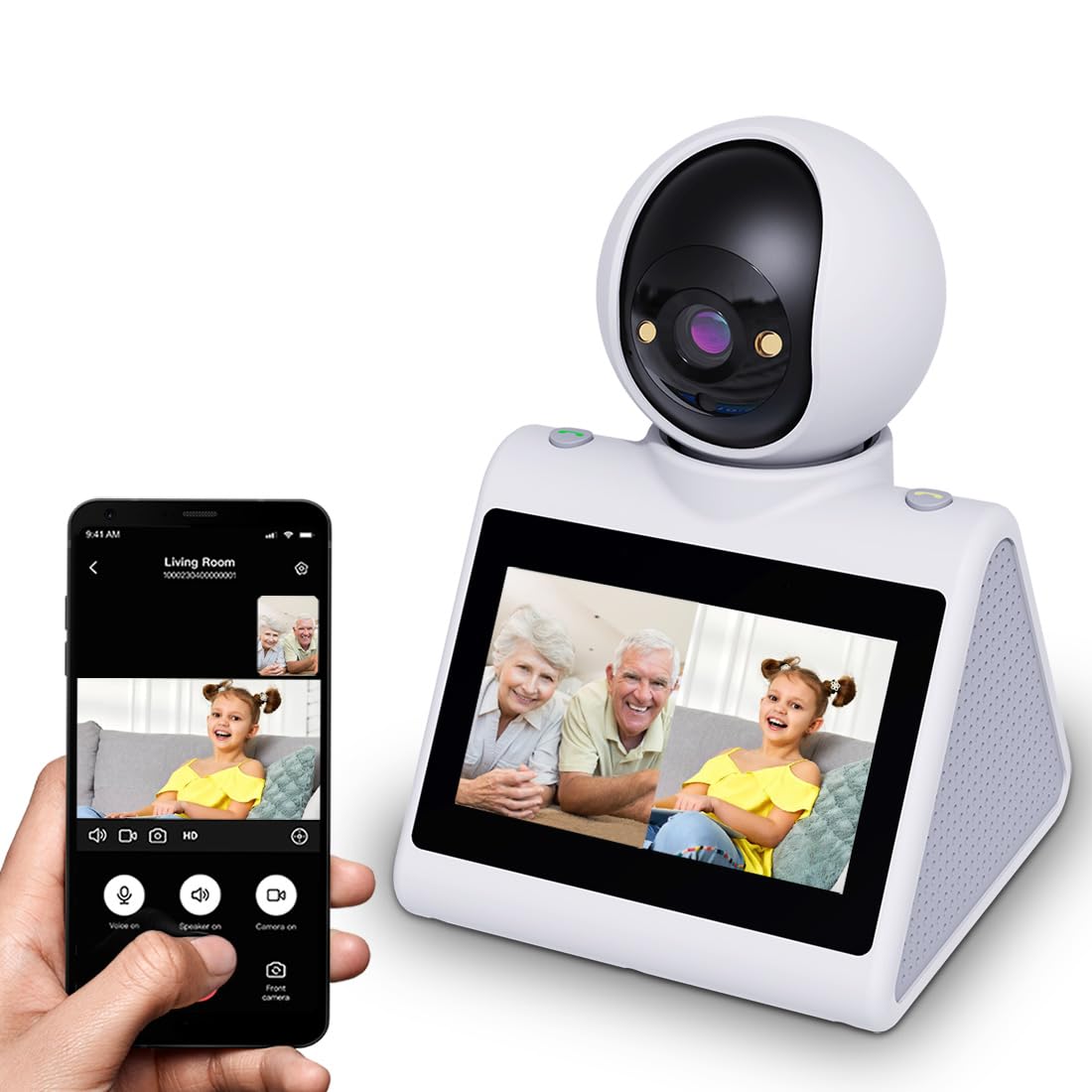
- 4.3-inch screen displays clear video for easy monitoring
- Instant one-button video calling simplifies communication for all ages
- Custom alarm reminders help maintain daily schedules and routines
- Device-to-device calling enables real-time family communication
- Ultra-HD resolution with night vision provides detailed visibility day or night
- 2.4GHz WiFi compatibility ensures stable video streaming
- Local SD card or cloud storage options for continuous recording
- Multi-user sharing allows up to 10 family members to access feeds
- Motion detection alerts enhance home security monitoring
- Multiple mounting options offer flexible placement throughout the home

If you want a straightforward video check in camera that doubles as an intercom, this SIYZHOP unit is worth a look. It pairs a 4.3″ screen and one‑button calling with two‑way video and audio, night vision and motion alerts, so you can check on a pet, touch base with a parent or peek into a busy living room during holiday gatherings. The camera supports SD or optional cloud recording and lets multiple people share access, which is handy when relatives want to take turns checking in. It’s not the fanciest setup, but for everyday reassurance and quick, face‑to‑face check‑ins you’ll find it practical and easy to live with.
What People Say
Most buyers highlight how simple it is to check in—users like the clear two‑way talk, the one‑touch calling and the handy 4.3″ screen for quick views without pulling out your phone. People also appreciate night vision and motion alerts for monitoring pets or older relatives. A few reviews mention app quirks or occasional reliability concerns, but overall feedback centers on convenience and practical daily use.
When to Use
|
Situation |
How It Helps |
|---|---|
|
Holiday hosting |
You can glance at the 4.3″ screen to spot guests or deliveries while you stay in the kitchen, or call a relative in another room without shouting across the house. |
|
Pet monitoring |
Two‑way audio and motion alerts let you soothe a nervous pet or see what mischief they’re up to during a long day out. |
|
Elder care check‑ins |
The one‑button call and simple interface make it easy for less tech‑savvy family members to reach you quickly when they need help. |
|
Baby naps and night checks |
Night vision and motion tracking let you confirm naps or check a nursery without turning on lights and waking a child. |
Ease of Use
|
Feature |
Ease Level |
|---|---|
|
Initial setup and pairing |
Moderate |
|
One‑button calling |
Easy |
|
Using the 4.3‑inch screen to check in |
Easy |
|
Configuring motion alerts and storage |
Moderate |
|
Device‑to‑device calling/intercom |
Moderate |
Versatility
This is a true multi‑use video check in camera — use it as a pet cam, nanny cam, elder monitor or simple tabletop intercom. It adapts well when you need quick video calls or shared access among family members.
Practicality
Plug‑in tabletop design, 2.4 GHz Wi‑Fi connectivity, SD card support and app control keep day‑to‑day use low‑fuss. Smart alarms that appear on the device screen and the one‑touch call option make routine check‑ins straightforward.
Solves These Problems
It solves the common need to reconnect quickly: confirm naps, calm a pet, get a status update from a relative or run a quick visual check while hosting. The combination of two‑way talk, motion alerts and on‑device calling reduces the need to run between rooms for reassurance.
Key Benefits
- One‑button calling for instant video calls
- Two‑way audio and video to talk and see clearly
- 4.3‑inch built‑in screen for on‑the‑spot checks
- Night vision and motion tracking for low‑light monitoring
- Supports SD storage and optional cloud recording
- Multi‑user sharing so family members can check in
- Smart alarm reminders for feeding or meds
Rating: 4.5 (total: 60+)
Best for Easy Display
- 2.8-inch HD screen provides clear viewing of monitored space
- 1080P resolution ensures sharp video quality for detailed observation
- Two-way video and audio enables real-time communication between devices
- One-button calling simplifies operation for children and elderly users
- 360-degree PTZ monitoring offers comprehensive room coverage
- Motion detection with instant alerts notifies about unexpected activity
- Cry detection algorithm identifies distressed sounds and sends alerts
- Built-in night vision maintains visibility in dark conditions
- Human detection reduces false alarms by focusing on relevant movement
- 120° wide-angle lens captures broad room views from single location
- Local storage support (up to 128GB) enables continuous recording
- Remote access via smartphone app allows monitoring from anywhere
- Voice interaction supports hands-free communication during monitoring
- Offline recording capability maintains security during internet outages
- 2.4GHz WiFi compatibility ensures stable wireless connectivity

This LASTCOW unit is a compact video check in camera that makes quick face‑to‑face check‑ins a breeze. It pairs a 2.8‑inch HD display with 1080p two‑way video and audio, a one‑button active call for easy video calling through the Im Cam app, motion alerts, wide‑angle viewing and night vision. You can use it on a tabletop or wall mount to peek in on pets, calm a kid from the kitchen while you cook, or confirm a delivery without leaving the party.
It’s not a pro surveillance rig, but for everyday reassurance and fast, simple video calls it’s very practical and easy to live with.
What People Say
Buyers often praise the clear two‑way talk and the convenience of the one‑touch call, saying the camera makes quick check‑ins easy without pulling out a phone. Many people like the sharp 1080p feed for such a small device and the motion/night features for basic monitoring.
A handful of reviews mention app or connectivity quirks and occasional tracking or build concerns, but overall customers focus on everyday usefulness and ease of contact.
Use Cases
|
Situation |
How It Helps |
|---|---|
|
Holiday hosting |
You can glance at the screen to spot guests or deliveries while you’re busy in the kitchen, or call someone in another room without raising your voice. |
|
Pet monitoring |
Motion alerts and two‑way audio let you soothe a nervous pup or catch mischievous behavior when you’re away for the afternoon. |
|
Elder care check‑ins |
The one‑button call and simple interface let less tech‑savvy relatives reach you quickly for a chat or a reassurance check. |
|
Baby naps and night checks |
Night vision and motion detection let you confirm naps without turning on lights or tiptoeing into the nursery. |
Ease of Use
|
Feature |
Ease Level |
|---|---|
|
Initial setup and pairing |
Moderate |
|
One‑button active calling |
Easy |
|
Using the 2.8‑inch screen for quick checks |
Easy |
|
Phone app control and multi‑user sharing |
Moderate |
|
Mounting (tabletop or wall) |
Easy |
Versatility
This is a true all‑around video check in camera — use it as a pet cam, nanny cam, elder monitor or simple in‑home intercom. Between the built‑in screen, app access and motion alerts, it adapts to short‑term check‑ins or ongoing monitoring.
Practicality
Plug‑in design with 2.4 GHz Wi‑Fi, app control and motion/night features keep daily use straightforward. The on‑device screen is handy when you don’t want to open your phone, and the near‑360° view plus IP65 rating give flexible placement options.
Solves These Problems
It addresses the need to reconnect quickly: confirm a nap, calm an anxious pet, get a status from an elderly relative or check a package at the door. The one‑touch call, two‑way audio/video and motion alerts reduce the back‑and‑forth and let you handle small, everyday worries from wherever you are.
Key Benefits
- One‑button active call for instant video check‑ins
- Two‑way audio and 1080p video for clear conversations
- 2.8‑inch built‑in HD screen for on‑device checks
- Motion alerts plus night vision for 24/7 monitoring
- Wide‑angle / near 360° viewing to cover more room
- App control (Im Cam) with multi‑user access
- IP65 rating for flexible indoor/outdoor placement
Rating: 4.3 (total: 299+)

How Do I Choose The Right Video Check In Camera For Holiday Check-Ins?
You should prioritize the features that match how and where you plan to check in: choose an indoor camera with clear resolution, reliable night vision, and pan/tilt or auto-tracking if you want to follow a pet or an active elder across a room, pick a unit with a large built-in screen if you prefer not to use your phone, and consider whether you want a Wi‑Fi app camera or a closed or cellular system for simpler, local monitoring. You also need to decide between local recording (microSD support) and optional cloud storage, wired power versus rechargeable batteries, and whether two-way audio or one‑touch calling is important for easy check-ins with seniors. Finally, check compatibility with your home network (many devices require 2.4 GHz Wi‑Fi) and look for models with a simple setup flow and good app support so you can get running quickly during the busy holiday season.
What Are The Most Common Security And Privacy Concerns And How Can You Mitigate Them?
You should treat every camera as a network device and secure it accordingly: change default passwords, enable strong unique credentials and two-factor authentication where available, keep firmware and apps updated, and restrict sharing to trusted accounts only. If you are worried about cloud access, choose a model that supports local recording or a closed‑circuit monitor with no Wi‑Fi for added control.
Place cameras thoughtfully to avoid capturing private spaces you don’t intend to monitor, review app permissions before granting access, and prefer devices that advertise encrypted connections or RTSP support if you plan to integrate with other home systems. Regularly test remote access and review recorded clips so you know who can view footage and when.
How Can You Get Reliable Daily Performance And Make The Camera Easy For Seniors To Use?
You should mount the camera at a stable, elevated spot with a clear line of sight and keep it plugged in if the manufacturer recommends continuous power to avoid connection drops; test motion sensitivity and VOX or sleep modes to reduce false alerts during family gatherings. For seniors, configure one‑touch call buttons, set appropriate speaker volume and display brightness, add only a few trusted contacts to the app, and create simple routines or training so the person being monitored knows how and when a check‑in will happen. If you run into connectivity issues, restart the camera and router, confirm you are on the correct Wi‑Fi band, and try a factory reset only as a last resort; if the app seems unreliable, check for an alternative firmware or contact support while keeping local backups on a microSD as a fail‑safe.
Wrapping Up
By choosing the right video check in camera, you make it easier to travel, host and care for family during the holidays without losing peace of mind. If you need a simple, one-button solution for an older relative, focus on models built for seniors or one-touch calling. If image quality and smart tracking are top priorities, pick a camera with higher resolution and AI detection. For caregivers who want portability and no Wi‑Fi reliance, consider the rechargeable, standalone monitors.
And if budget matters, solid basic models still give two-way audio and motion alerts at a low price. Use the short list above to match a camera to the person or room you’ll monitor, and check the app and connectivity notes before purchase so your device works reliably when you need it most.
| Product | Image | Rating | Video Quality | Connectivity | Special Highlights | Battery Life / Power Source |
|---|---|---|---|---|---|---|
| KEENLUK Home Security Camera |
 |
4.3/5 (123 reviews) | 1080P HD | Wireless |
|
N/A |
| Smart Caregiver Video Monitor |
 |
4.4/5 (92 reviews) | 720P | No WiFi, RTSP Protocol |
|
Rechargeable |
| IMILAB C22 3K Security Camera |
 |
4.4/5 (255 reviews) | 3K/5MP | 2.4G WiFi |
|
N/A |
| iFamily Baby Monitor with 2 Cameras |
 |
4.3/5 (9,928 reviews) | 480P | 2.4GHZ FHSS |
|
Corded Electric, Battery Backup |
| SIYZHOP Indoor Home Security Camera |
 |
4.5/5 (60 reviews) | 4K | Wi-Fi |
|
N/A |